
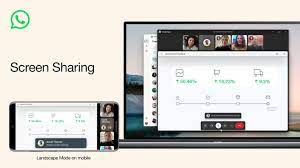
 Meta-owned messaging platform WhatsApp has rolled out a screen-sharing feature for video calls to users.
When users choose this option, they will be given the choice to share a specific window or the complete screen with everyone participating in the video call.
Users can also share the content of their screen with those connected to the call from their mobile devices.
Step-by-step process to use the feature on Android, iOS, Windows is listed below.
For Android
To share your screen during a video call:
Tap screen sharing in the video controls to access screen sharing. Your phone will show a prompt indicating that you’re about to begin recording or casting with WhatsApp.
Tap Start now to begin screen sharing.
